
After applications close, choose how many places to draw. Every application, solo or group, has the same chance, and nobody is notified before the invitations are sent.
After applications close, you draw as many places as you want to allocate. The draw selects candidates without notifying them: they only find out when the invitations are sent.
View the applications
In the Configuration menu, open Lists, then click the lottery's row. The Candidacies page, followed by the race name, opens.
Each row is an application: Solo, or Group with its number of members. Expand a group to see its members. The person who created it is marked Leader.
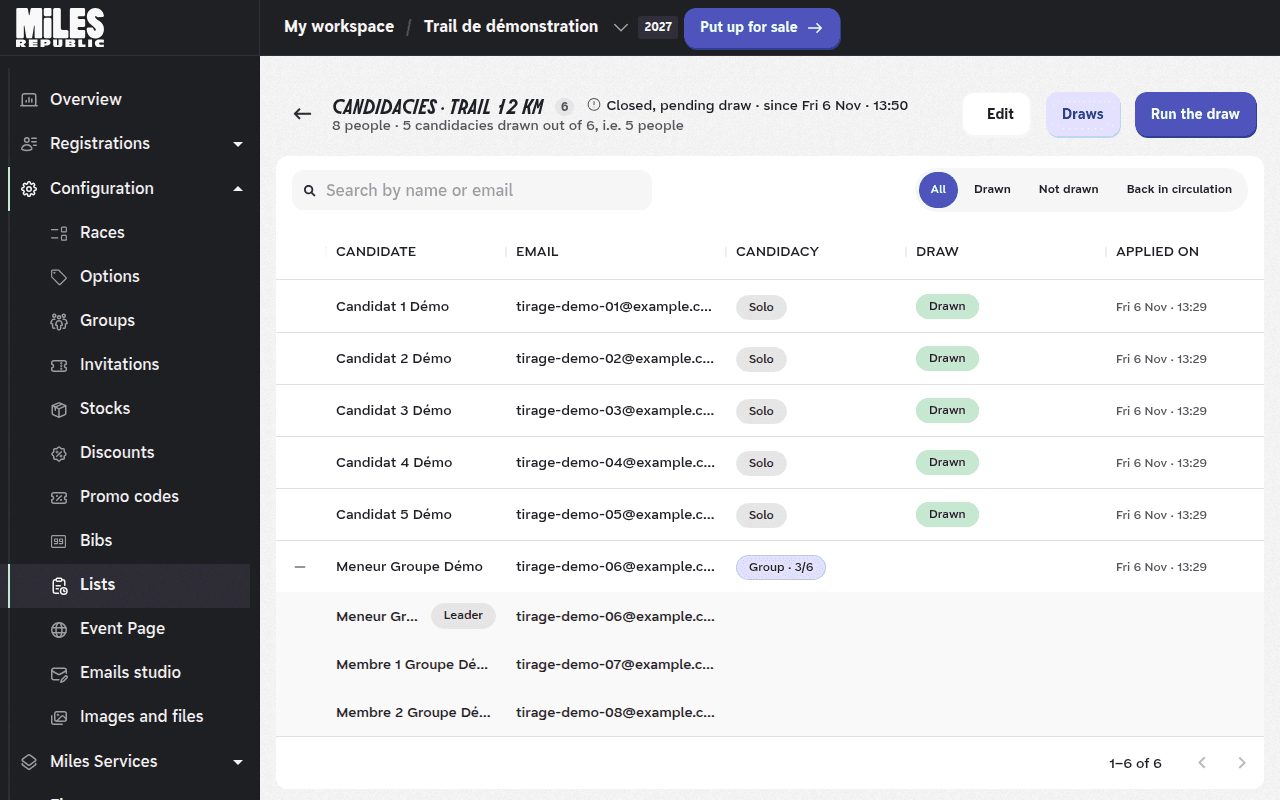
Find a person with Search by name or email. After a first draw, a Draw column gives each application's status, and filters show the applications that are Drawn, Not drawn or Back in circulation.
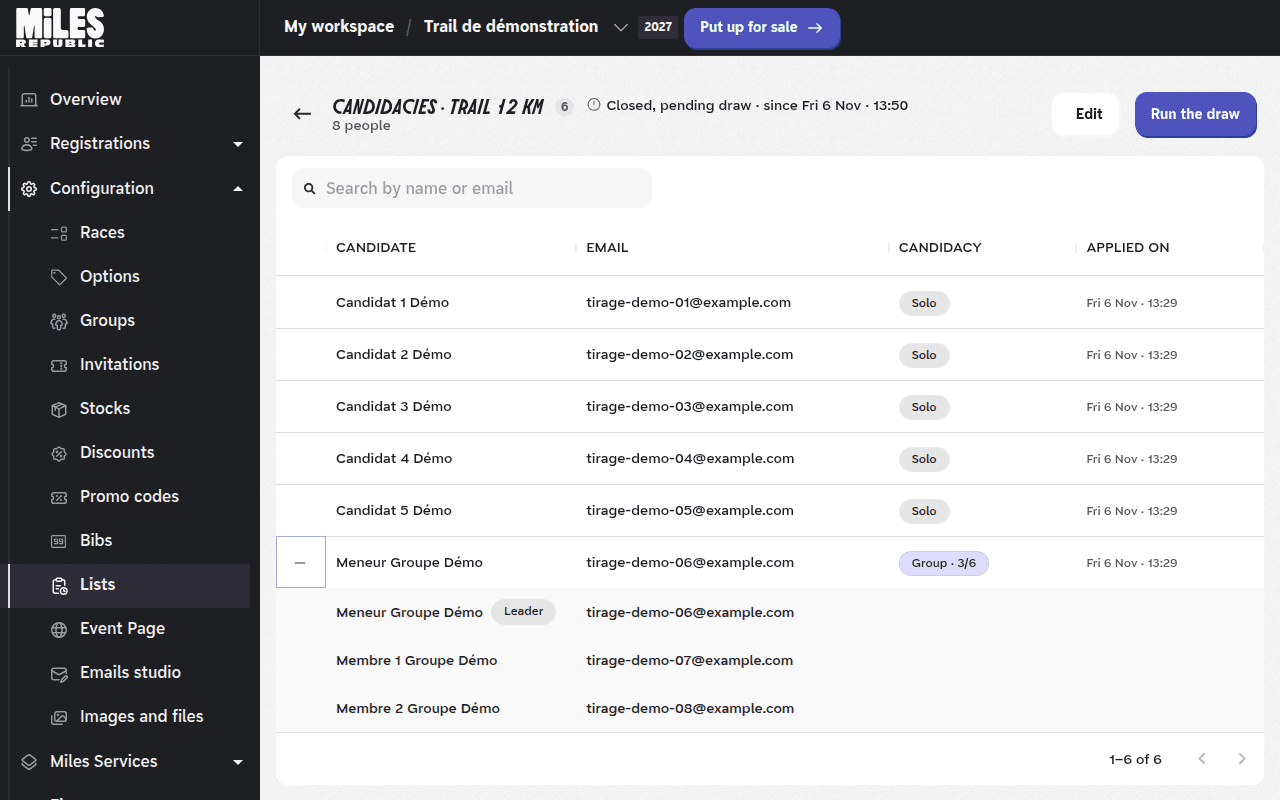
A candidate can withdraw their application from their account until the invitations of their draw are sent. The number of applications can therefore drop after closing.
Run a draw
Click Run the draw.
In Number of places to draw, enter how many places to allocate. The maximum is shown below the field: it is the race's remaining stock, minus pending invitations and drawn candidates not invited yet.
Click Continue, then confirm with Run the draw.
The message Draw completed shows how many applications and people were drawn. No email is sent at this stage.
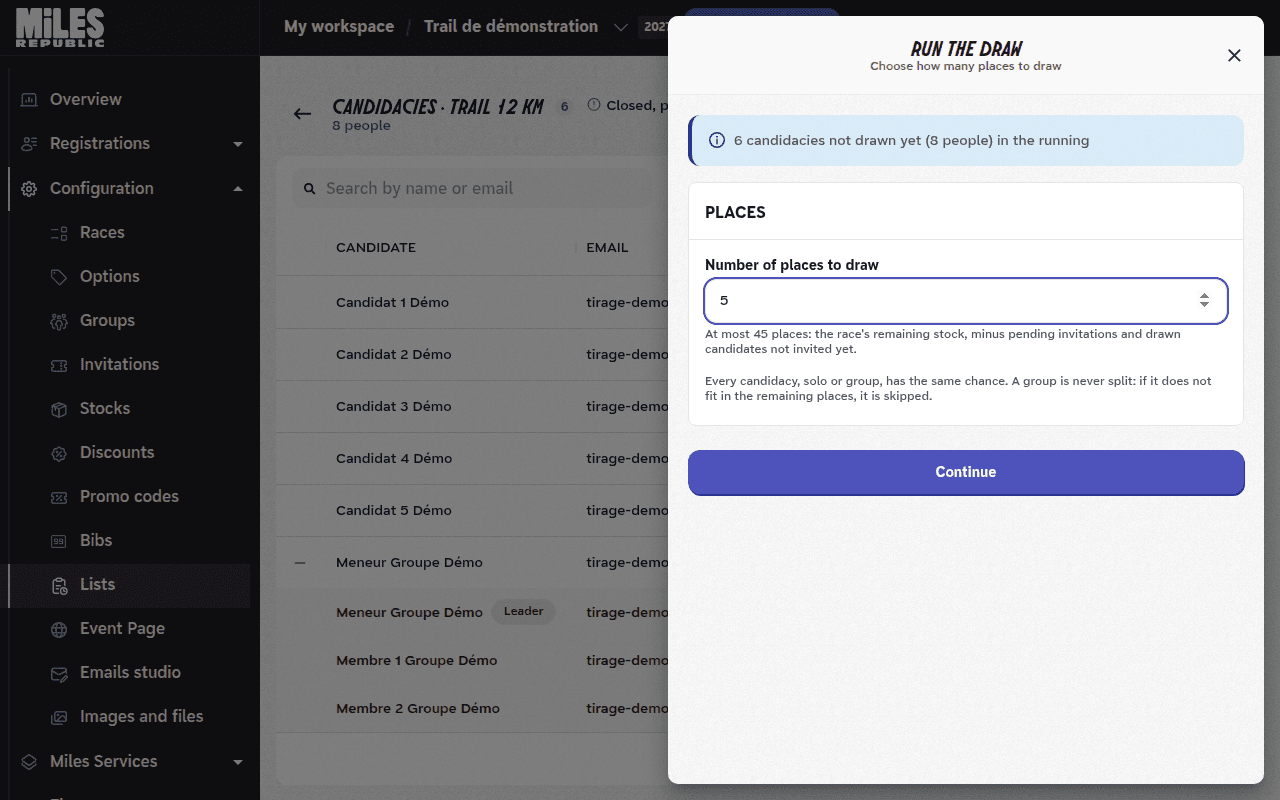
Each application gets one ticket, whether solo or group. The tickets are shuffled at random, then taken in order while places remain. A group is never split: if it does not fit in the remaining places, it is skipped in favour of the next applications. The number of people drawn can therefore be slightly lower than the number of places.
The shuffle and the full order of the applications are kept: the draw can be replayed to check its result.
Check or cancel a draw
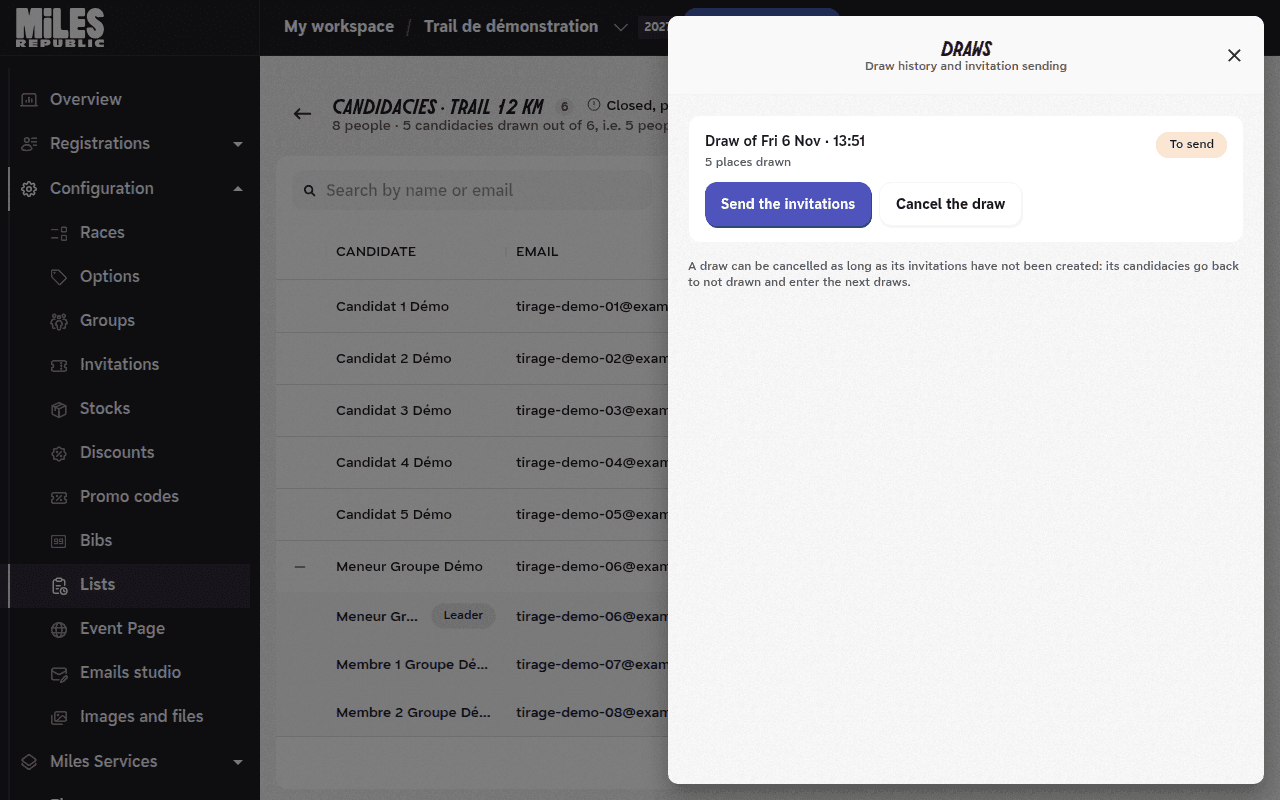
Click Draws to open the history. Each draw is listed with its status: To send, Sending, Sent or Cancelled.
As long as its invitations have not gone out, a draw can be cancelled. Click Cancel the draw, then confirm. Its applications go back to not drawn and enter the next draws. The draw stays in the history, marked as cancelled.
A draw whose invitations have gone out is final.
You can run several successive draws, for example to allocate the places freed by declined or expired invitations.
The « Run the draw » button is greyed out
Hover over it: the message gives the reason. Before closing, it reads The draw will be possible once candidacies close, followed by the date.
If the race is deactivated, already run or has no public page, no draw is possible while its invitations cannot go out: activate the race. The button is also greyed out when every application has been drawn, or when the draws have been declared over.
The message « The stock of this race could not be read » appears
The full message is The stock of this race could not be read. If it has a capacity, try again in a moment; otherwise, set one to be able to run the draw. The draw needs a limited stock to work out the available places: in Configuration › Races, open the race and turn on Limit stock for this race.
The maximum number of places is lower than expected
The maximum deducts from the remaining stock the pending invitations on the race and the people drawn but not invited yet. Send or cancel the pending draws, and check the pending invitations in Invitations.
If the message No place left to draw appears, all the remaining stock is already promised.
The message « No candidacy fits in this number of places » appears
Only groups larger than the requested places are left, or no application is left to draw. Increase the number of places if the maximum allows it.
The message « The number of places exceeds the cap, which has just changed » appears
The race's stock changed while you were entering the number, for example after an invitation was sent. Check the maximum shown and run the draw again.