
Set the application period, groups and rules. Your candidates apply from the event page, then you draw the places by lottery.
A lottery allocates a race's places among the applications received during a period you set. Candidates apply from the event page, alone or as a group, and you run the draw after applications close.
Create the lottery
In the Configuration menu, open Lists.
Click Add a lottery.
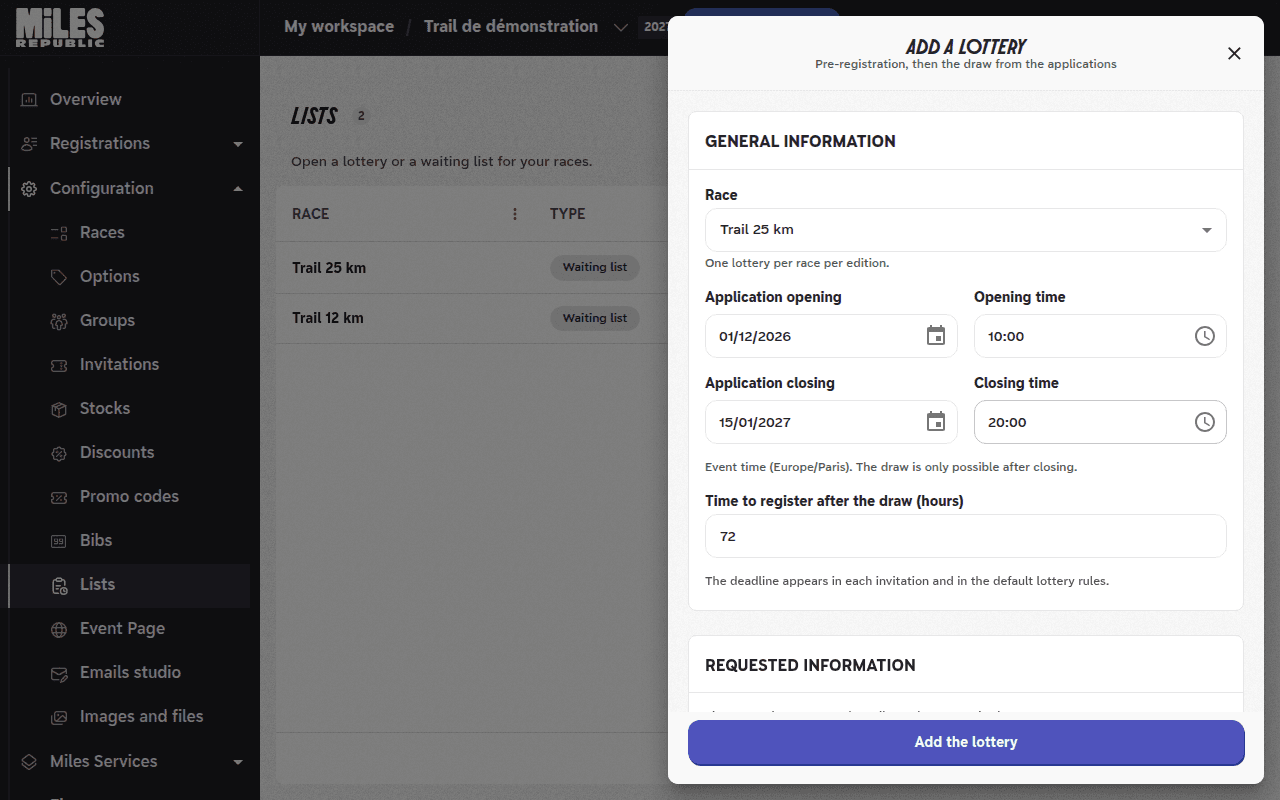
In Race, choose the race. A race that already has a lottery, or a relay race, is greyed out.
Fill in Application opening, Opening time, Application closing and Closing time. Times are in the event's time zone, and the draw is only possible after closing.
In Time to register after the draw (hours), keep 72 hours or choose between 1 and 168 hours. Each drawn candidate has this time from the moment they receive their invitation.
Choose the requested information and groups
Under Requested information, tick what you want to receive in addition to first name, last name and email: Gender, Date of birth, Phone number, Nationality or Address. If the race is restricted to one gender, gender is always requested.
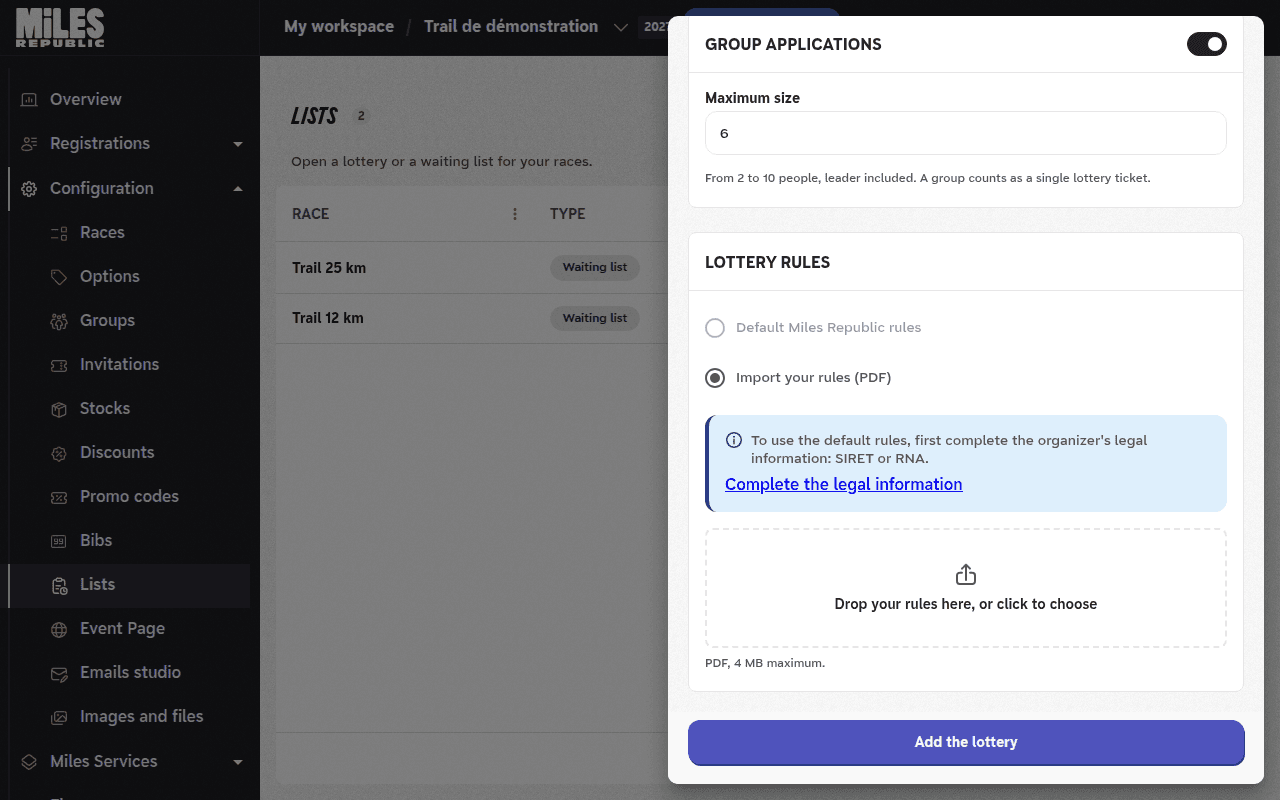
Under Group applications, leave the switch on to accept groups, and set the Maximum size: from 2 to 10 people, leader included, 6 by default. Turn it off to accept individual applications only.
A group counts as a single lottery ticket: all its members are drawn together, or none.
Choose the rules
Under Lottery rules, choose Default Miles Republic rules or Import your rules (PDF).
The default rules are written for you. They include the organizer's legal information, the application dates, the group size and the time to register. Each candidate reads them in their language and accepts them before applying.
To use your own rules, drop a PDF file of up to 4 MB in the upload area.
Save
Click Add the lottery. The message Lottery created confirms it is saved.
The lottery appears in Lists with the status Scheduled. It switches to Open when applications open, then to Closed, pending draw after closing.
On the event page, the race shows a Lottery row. During the application period, the Apply button opens the form. No account is needed to apply, and only one application is accepted per email address.
To edit the lottery, open the menu on its row in Lists, then Edit. To delete it, choose Delete the lottery in the same menu: this is only possible as long as no application has been received, and the race then returns to its standard registration mode.
The « Default Miles Republic rules » option is greyed out
The organizer's legal information is incomplete. The message below the options lists what is missing.
Click Complete the legal information, fill in the fields in the tab that opens, then come back to the lottery: the option becomes available. You can also upload your own rules.
The application dates and the time to register can no longer be changed
As soon as a draw has taken place, the message A draw has already taken place: the application dates and the time to register can no longer be changed. appears. Every candidate keeps the rules that were announced.
The requested information, groups and rules can still be changed.
I cannot clear the organizer's legal information
While a lottery on the default rules is ongoing, this information appears in its rules. It can be corrected, but not cleared, until the draws are declared over.
« Delete the lottery » is greyed out
The note Not possible: applications have been received explains it: a lottery that has received applications can no longer be deleted.
My PDF rules are rejected
The file must be a PDF of up to 4 MB. The messages The file exceeds 4 MB. or Only PDF files are accepted. tell you which one is the problem.
The race is no longer on sale since I created the lottery
This is intended: a lottery closes the race to public sale as soon as it is saved, so that the places go to drawn candidates. It reopens according to its registration dates once the draws are declared over and the last invitations have expired, or been used or declined.