
Each drawn person receives a personal link to register at the normal price. Put freed places back in the draw, then declare the draws over.
Sending the invitations notifies the candidates drawn by lottery. Each one receives an email with a personal link to register and pay before a deadline. You then put unused places back in the draw, and declare the draws over.
Send the invitations
On the lottery's candidacies page, click Draws.
On the To send draw, click Send the invitations.
Check the time shown, for example Time to register: 72 hours, and the deadline of the first links. This time comes from the lottery's settings.
Click the Send button, followed by the number of invitations. The message Send initiated shows how many people are invited, and how many are skipped.
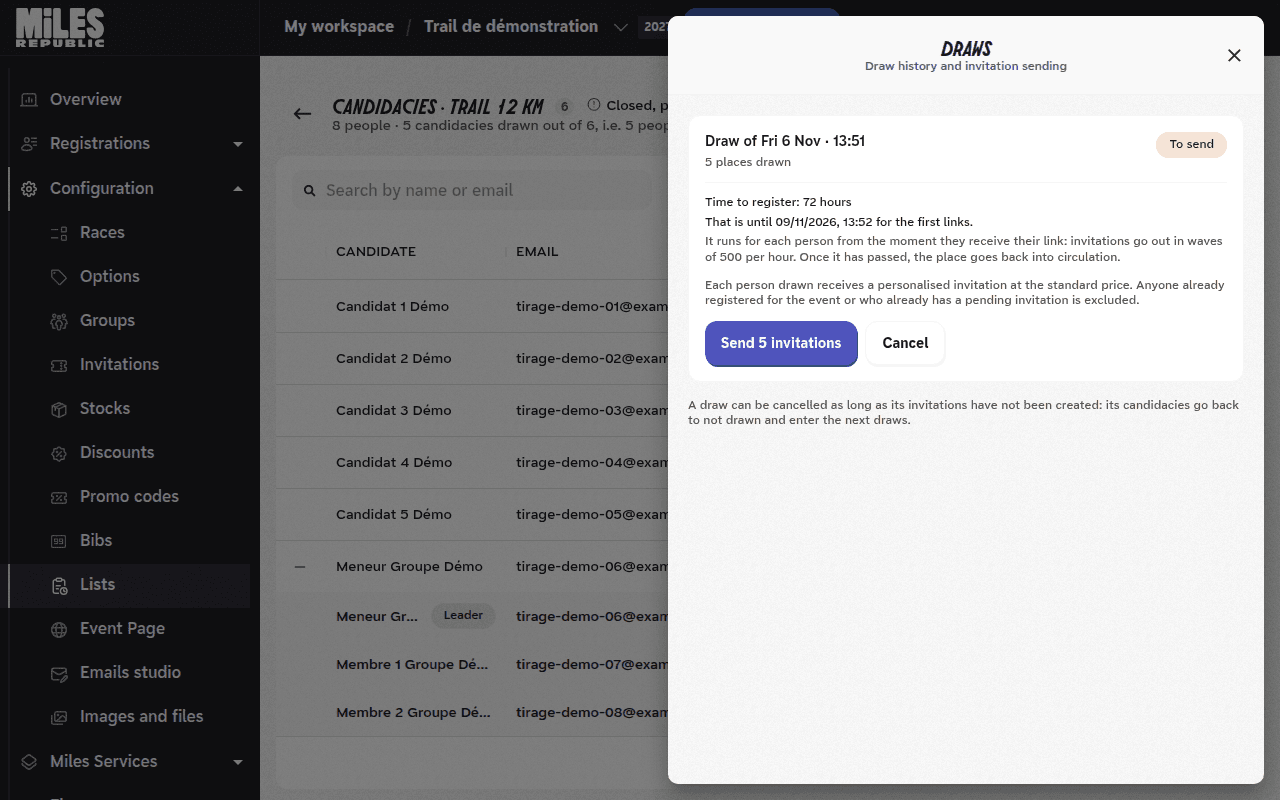
Each drawn person receives their own invitation, at the race's normal price. In a group, each member registers and pays with their own link. Anyone already registered for the event, or already holding a pending invitation, is skipped: their place remains available for a later draw.
Invitations go out in waves, at a rate of 500 per hour. The time to register runs for each person from the moment they receive their link, and the deadline is in their email. A person who started registering before the deadline has one hour to finish.
The invitation batch also appears in Invitations, with a link back to the race's lottery. From there you can resend a link with Preview and resend…, copy it with Copy link or Revoke it.
Track the responses
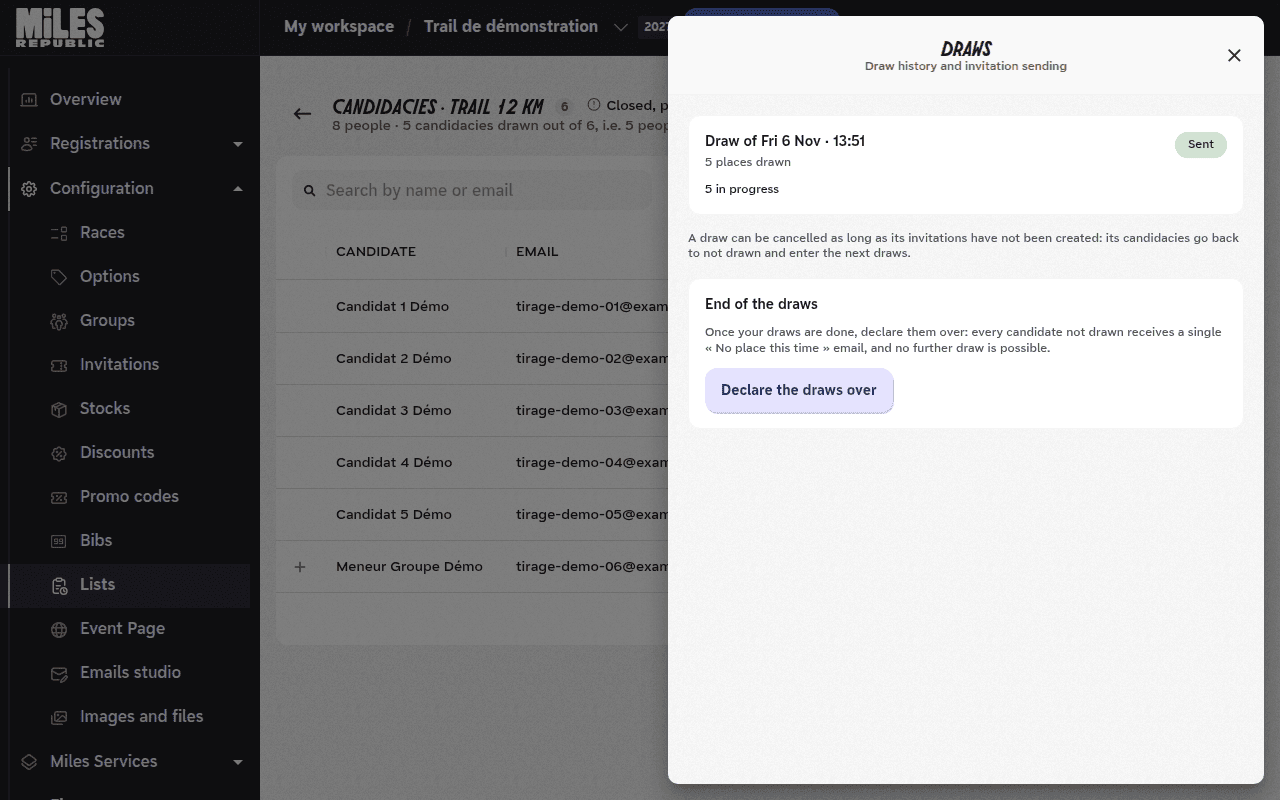
In Draws, each sent draw shows how many invitations have gone out and the estimated end of the send, then its outcome: invitations in progress, registered, declined and expired.
On the candidacies page, the Draw column gives each person's status: Drawn, Invited, Registered, Declined, Expired or Excluded.
Put freed places back in the draw
A declined or expired invitation frees its place. The place is put back in circulation, but it is not reallocated automatically.
The draw button then shows the number of freed places, for example Draw 3 more places. Click it to draw among the applications not drawn yet.
Send the invitations of this new draw like those of the first one.
Declare the draws over
When you have no more draws to run, open Draws. In End of the draws, click Declare the draws over.
The window shows how many undrawn candidates will be notified, and when the race will reopen to the public. Confirm with Declare over.
Each candidate who was never drawn receives the « No place this time » email once. No further draw is possible.
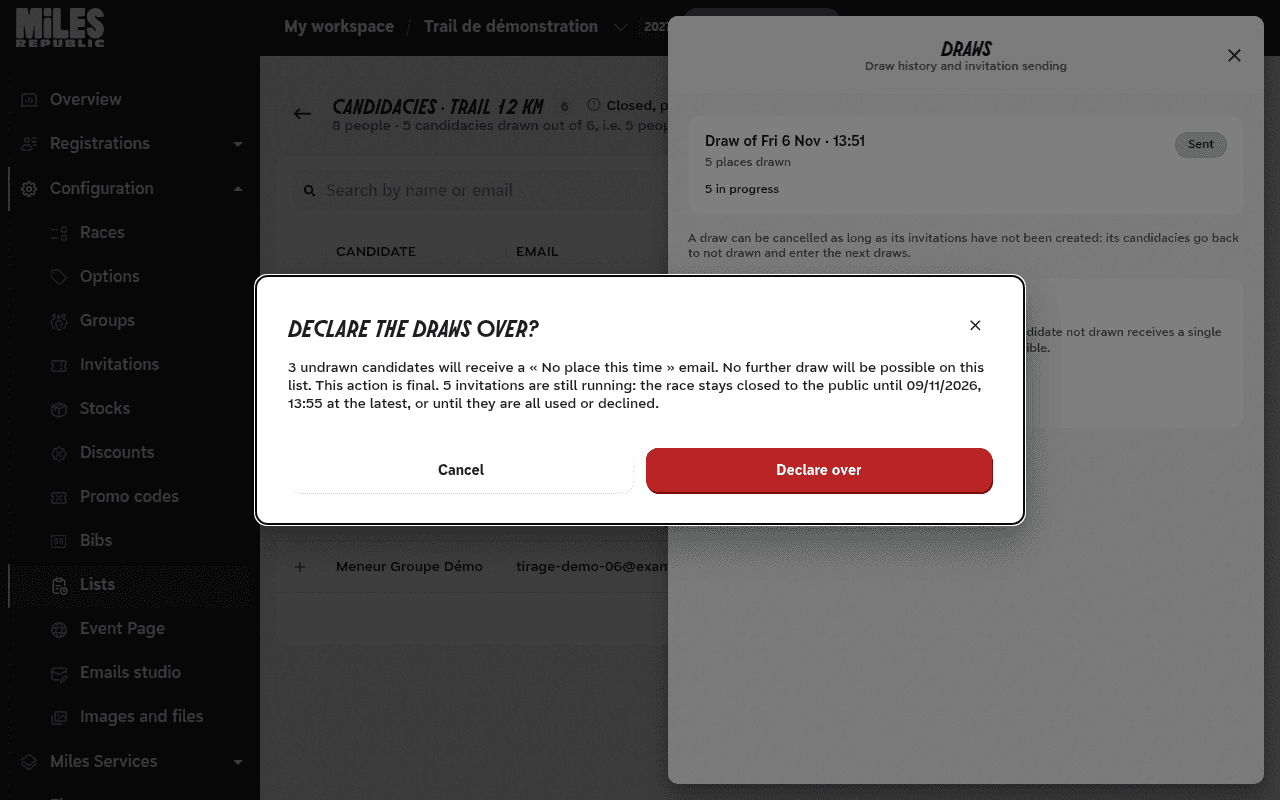
After the draws are over, the race stays closed to the public until the last pending invitation expires, or until all of them are used or declined. It then reopens according to its registration dates and stock.
The message « Draw closed without invitation » appears
Everyone drawn was already registered for the event or already held a pending invitation. Their places remain available: run a new draw.
A drawn person shows as « Excluded »
Hover over their status: the message says whether they were already registered for the event or already held a pending invitation. They receive no new invitation, and their place counts in the places to draw.
A drawn candidate says they did not receive their email
Invitations go out in waves of 500 per hour: check in Draws that the send is complete. Also ask them to look in their spam folder.
You can resend their link from Invitations, with Preview and resend….
The message « The race takes no invitation » appears when sending
The race is deactivated, already run or has no public page. Retrying will not change that: activate the race, then send again. The draw stays To send in the meantime.
The « Declare the draws over » button is greyed out
The message below the button gives the reason. Available once the invitations of at least one draw have been sent.: send a draw first. A draw is waiting for its invitations to be sent: send them or cancel it first.: finish the pending draw.
A drawn candidate whose invitation expired did not receive the « No place this time » email
This is expected: this email only goes to candidates who were never drawn. A candidate whose invitation expired or was declined sees its status in their account.