
The participants and data Wiclax imports from Miles Republic, the "Who assigns the bibs?" setting, and what the integration does not do.
Wiclax reads your participants from Miles Republic when your timekeeper runs an import: Miles Republic sends nothing on its own. Each race of your edition shows up in Wiclax as a separate event.
This article describes who is sent, with which data, and how to choose who numbers the bibs.
For each race, Wiclax receives the confirmed participants: paid, manually paid or free registrations. Pending, waiting-list and cancelled registrations are not sent. An archived race does not show up in Wiclax.
| Data | What Wiclax receives |
|---|---|
| First and last name | As entered at registration |
| Gender | M, F or X |
| Date of birth | If provided |
| Category | The race's age category matching the year of birth, if there is one |
| Nationality, club | If provided |
| Licence number | In Wiclax's licence field, only when it is a licence: a PPS is never sent there |
| Licence / PPS | Custom field carrying the licence number or the PPS: your timekeeper maps it onto a Wiclax column at import |
| Email and phone | The participant's |
| Registration date | The day of registration |
| Race | The race name |
| Bib | Depending on the Who assigns the bibs? setting |
| Anonymity | Whether the participant asked not to appear in the results |
Choose who assigns the bibs
In your edition menu, open Miles Services, then Integrations, and click the Wiclax row.
Under Who assigns the bibs?, choose an option. Your choice is saved as soon as you click.
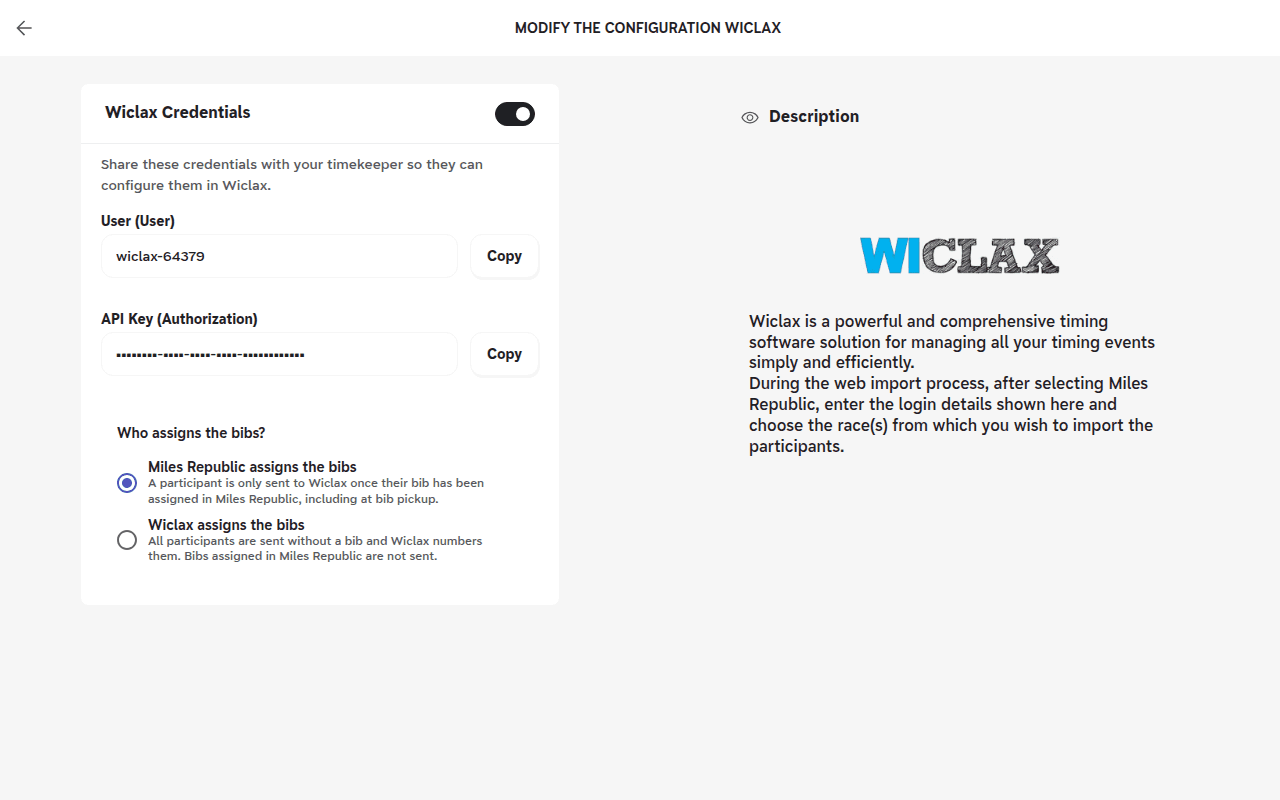
| Option | What Wiclax receives | When to choose it |
|---|---|---|
| Miles Republic assigns the bibs (default) | A participant is only sent once their bib has been assigned in Miles Republic, including at bib pickup. They arrive in Wiclax with their number. | You assign bibs in Miles Republic, before the event or at pickup. |
| Wiclax assigns the bibs | All participants are sent without a bib, including those who have one in Miles Republic. Wiclax numbers them all. | Your timekeeper numbers the bibs in Wiclax. |
Every new participant, every change to a participant and every bib assigned, including at bib pickup, is picked up by your timekeeper's next import.
A team bib (for example 377-A) is sent as a number: see the article on the team bib format.
A participant does not appear in Wiclax
With Miles Republic assigns the bibs, a participant is only sent once their bib is assigned: assign it, then have the import run again.
Also check that the registration is confirmed and that its race is not archived.
No participant appears for a race
With Miles Republic assigns the bibs, a race with no bib assigned yet sends no one, for example before bib pickup. This is expected: participants arrive as bibs are assigned. If your timekeeper numbers the bibs, choose Wiclax assigns the bibs before the first import.
A participant appears twice in Wiclax
Their bib changed after an import, or the Who assigns the bibs? setting was changed. Wiclax adds the new number without deleting the old one: your timekeeper must delete the old number by hand in Wiclax.