
For a race allocated by lottery, send your application during the period shown, alone or with your friends thanks to a group link.
Some races allocate their places by lottery. You apply during the period shown, alone or as a group. After closing, the organizer holds the draw, and each drawn candidate receives an invitation to register.
Send your application
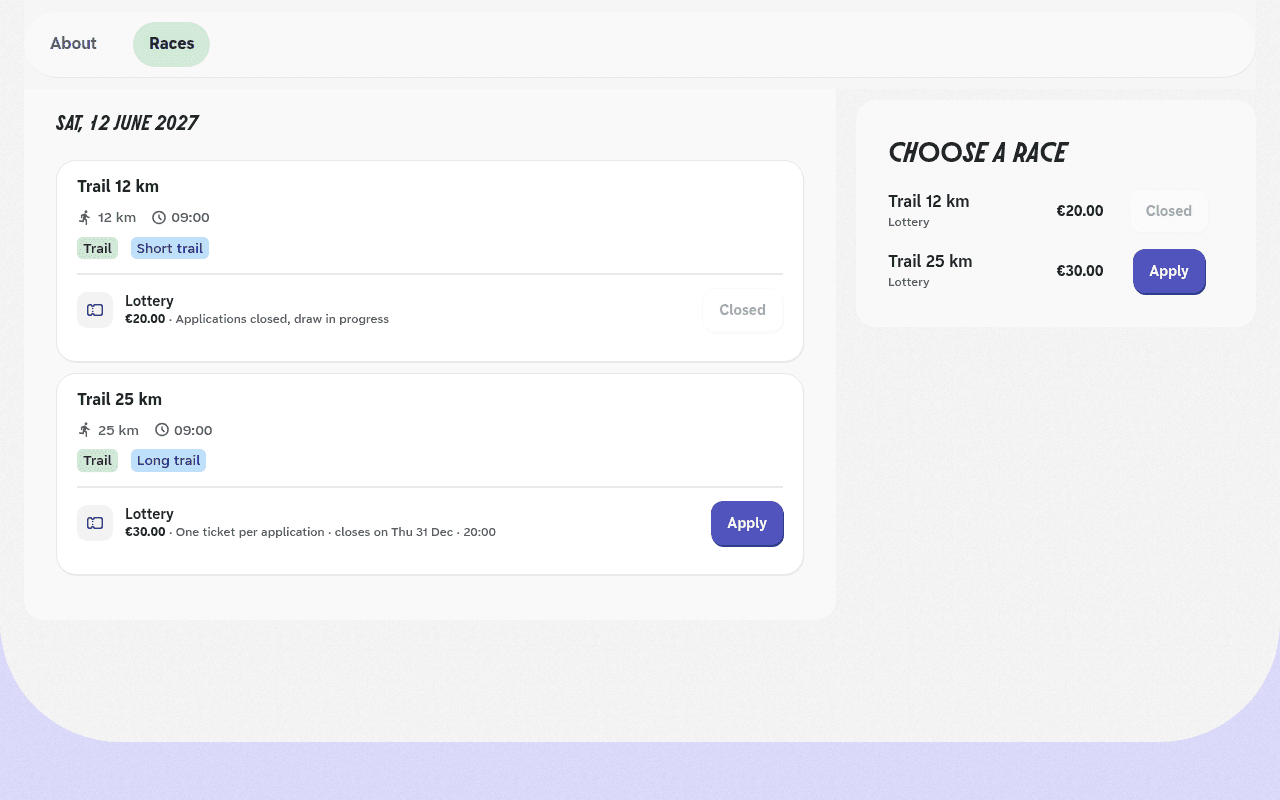
On the event page, find the race marked Lottery, then click Apply. Before opening, the button shows Soon and the opening date of applications is shown.
Fill in the form
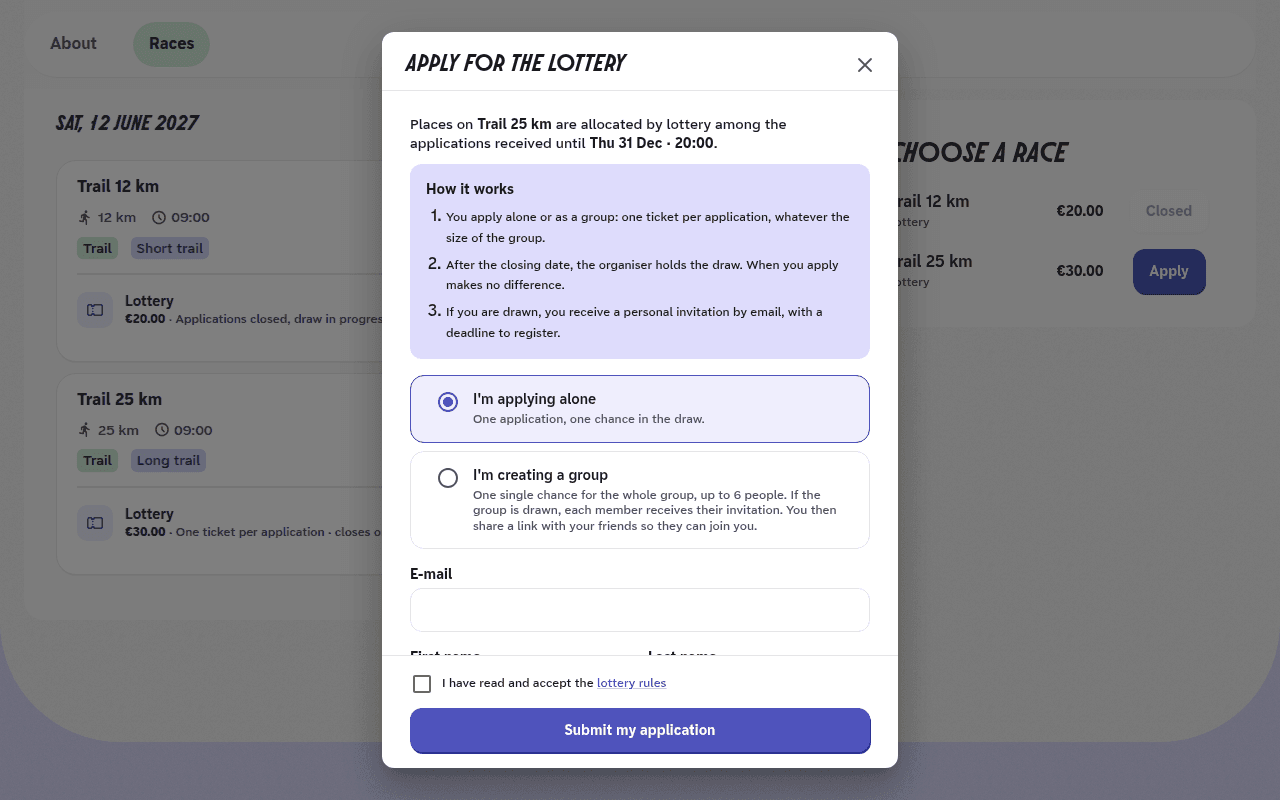
Choose I'm applying alone or I'm creating a group. The group option only appears if the organizer accepts groups.
Enter your email, first name and last name, along with the information the organizer asks for.
Read the lottery rules from the link in the form, then tick I have read and accept the lottery rules.
Click Submit my application. You receive a confirmation email.
Apply as a group
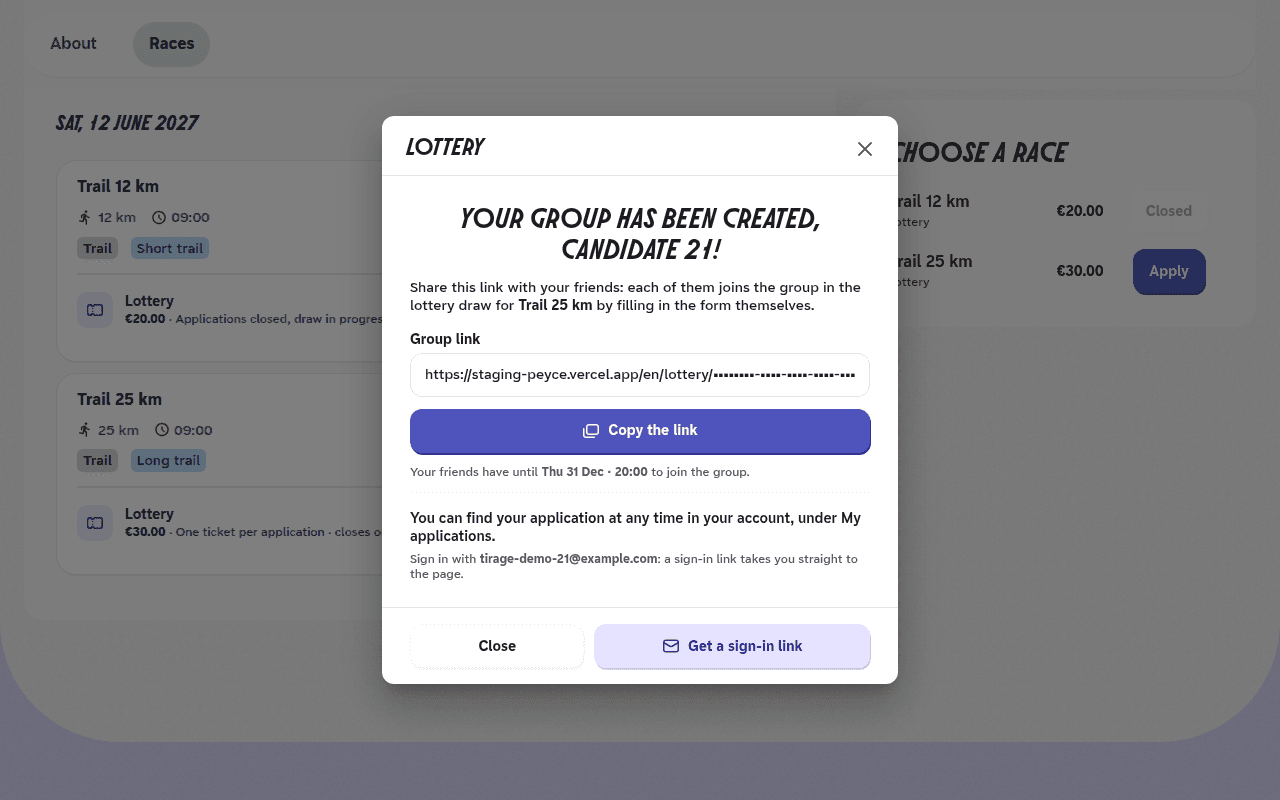
After I'm creating a group, a screen shows the Group link. Click Copy the link and send it to your friends.
Each of them opens the link, fills in the form with their own email address, accepts the rules and clicks Join the group.
Your friends can join the group until applications close, up to the maximum size set by the organizer, you included.
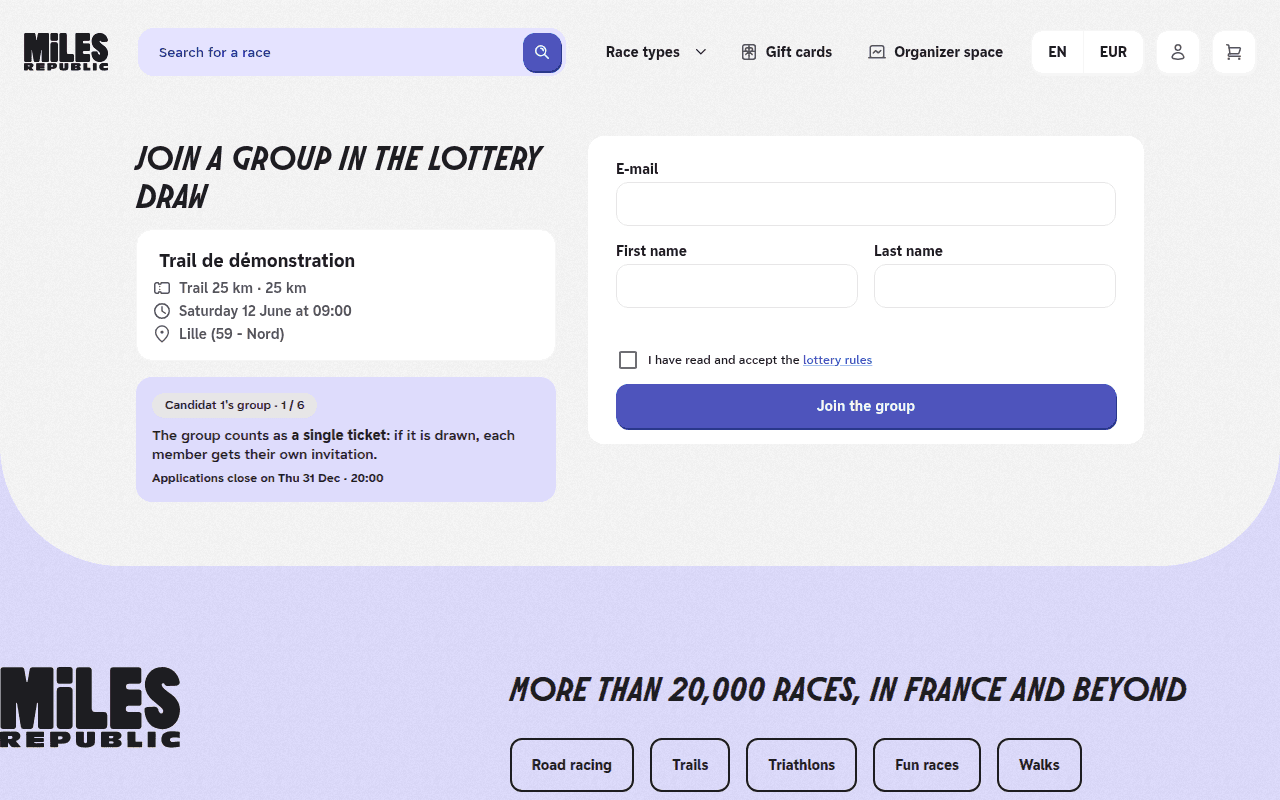
A group counts as a single ticket in the draw: all its members are drawn together, or none. If the group is drawn, each member receives their own invitation, and registers and pays with it.
You find your application and your group link in your account, under My applications. Once signed in, Apply for someone else also lets you enter someone else in the lottery, with their own email address.
The message « You are already entered in this lottery. » appears
An application already exists with this email address for this race. Find it in My applications, by signing in with that address.
The message « This group is full. » appears
The group has reached its maximum size. You can still apply alone or create your own group from the event page.
The group link shows « Unknown group link »
The link is incomplete, or every member of the group has withdrawn. Ask the person who invited you to send it again.
The group link shows « Applications closed »
The application period is over: the group can no longer be joined.
The message « You must accept the lottery rules to apply. » appears
Tick I have read and accept the lottery rules below the form, then submit your application.
I lost my group link
It is in the confirmation email, with the Open the group link button. You can also copy it from My applications, with Copy the group link, as long as applications are open.